Author name: Aashi Mahajan

timesheet-software-vs-excel-project-teams-switch
timesheet software

Timesheet Software vs Excel: When Should Project Teams Make the Switch?

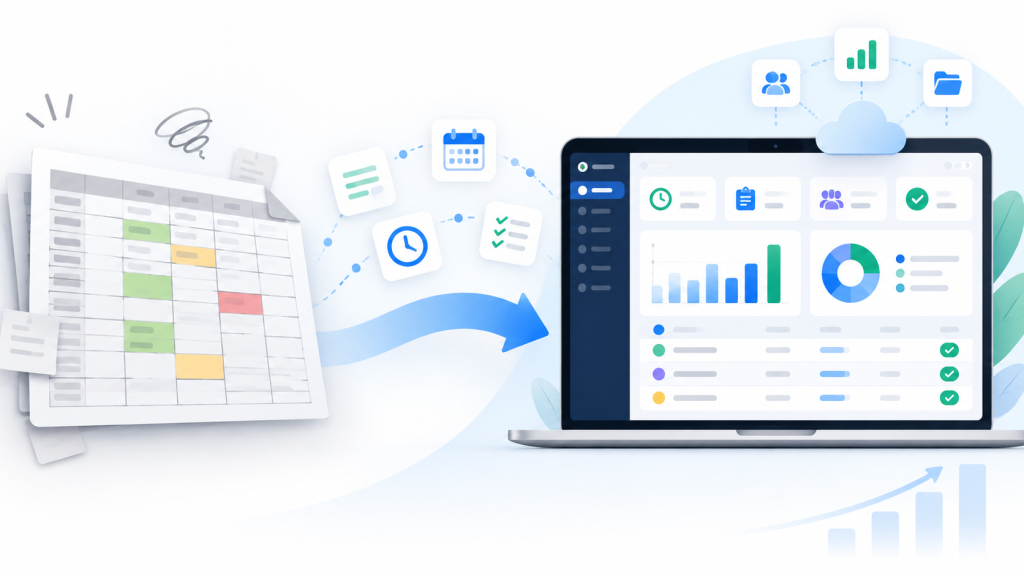
Timesheet Software vs Excel: When Should Project Teams Make the Switch? Excel is one of the most common tools used for tracking employee hours and project time. It is familiar, flexible, easy to customize, and already available to many organizations. For a small team with a straightforward process, an Excel timesheet can work perfectly well. The challenge begins when the organization needs more than a spreadsheet. As the number of employees, projects, managers, and reporting requirements grows, teams may start spending more time managing the timesheet process than actually using the information. So when should a project team consider moving from Excel to dedicated timesheet software? The answer depends less on the number of employees and more on the complexity of the process. Excel vs. Timesheet Software: What’s the Difference? At a basic level, both can record employee hours. The difference is what happens around those hours. With Excel, the typical process may look like: Employee → Spreadsheet → Email → Manager → Consolidation → Report With a structured timesheet application, the process can become: Employee → Timesheet → Project/Task → Approval → Reporting Both approaches can work. The right choice depends on how much structure your organization needs. When Excel Is Still a Good Choice It’s important to be realistic: not every organization needs timesheet software. Excel may be a good option when: The team is small There are only a few projects One person manages the timesheet process Employees submit time consistently Approvals are simple Reporting requirements are limited Manual consolidation isn’t a significant burden For example, a small team of five people working on one or two projects may not need a dedicated application. Creating a software implementation for a process that is already simple and manageable may add unnecessary complexity. The question is not: “Can software do this better?” The question is: “Is our current process causing problems?” Where Excel Timesheets Start Becoming Difficult The problems usually appear gradually. A team might start with one spreadsheet. Then more projects are added. Then another manager needs access. Then employees need to record time against different tasks. Then someone forgets to submit their timesheet. Then the project manager has to send reminders. Then leadership asks for a monthly report. Suddenly, the spreadsheet isn’t just a timesheet anymore. It has become a process that requires administration. 1. Multiple Versions of the Same Timesheet One common challenge is maintaining consistent versions of spreadsheets. You may have: Employee copies Manager copies Consolidated copies Archived copies The more copies exist, the harder it can become to determine which information is current. A centralized timesheet system can reduce this dependency on manually maintained versions. 2. Manual Follow-Up for Missing Timesheets Imagine a manager needs all employee timesheets by Friday. Five employees haven’t submitted theirs. With a spreadsheet-based process, the manager may need to: Check submissions Identify missing employees Send reminders Wait for responses Update the tracking sheet This process may be manageable with a small team. With dozens or hundreds of employees, it can become repetitive. A structured timesheet system can provide visibility into missing submissions. 3. Manual Approval Processes Excel doesn’t inherently provide a project timesheet approval workflow. Organizations can build processes around email, Teams, SharePoint, Power Automate, or other Microsoft 365 tools, but that means additional configuration and administration. A dedicated timesheet application can provide the submission and approval process as part of the timesheet workflow. Managers can review submitted timesheets and approve or reject them according to the organization’s process. 4. Project and Task Tracking Becomes More Complicated A simple Excel sheet might contain: Employee Date Hours John Monday 8 Sarah Monday 7.5 But project teams often need more context. For example: Employee Project Task Date Hours John Project A Engineering Monday 4 John Project A Site Work Monday 4 Sarah Project B Procurement Monday 7.5 As project and task structures become more complicated, maintaining consistent entries across multiple spreadsheets can become harder. A structured timesheet application can provide predefined projects and tasks for employees to select. 5. Reporting Requires More Preparation This is often where the biggest difference appears. The spreadsheet may contain the data, but someone still needs to turn it into a report. That can involve: Combining spreadsheets Cleaning data Checking missing entries Standardizing project names Removing duplicates Calculating totals Creating charts Preparing the final report The time spent preparing the report can become significant. A structured timesheet system can reduce some of this manual preparation by keeping the information in a consistent format from the beginning. 6. Missing Data Can Affect Project Reporting Suppose leadership receives a monthly project report. The report shows: Project A — 2,400 hours But four employees did not submit their timesheets. The number may not represent the complete picture. This is why missing-timesheet visibility matters. The goal isn’t simply to collect hours. It is to know whether the information is complete enough to support the report. 7. Power BI Reporting Excel data can certainly be used with Power BI. The question is how much preparation is required before the data is ready for analysis. When timesheet data is structured consistently, it can become easier to connect it with reporting and analytics workflows. Organizations using Power BI may want to analyze: Project hours Employee hours Task effort Billable vs. non-billable time Time trends Project-level information The important point is that Power BI doesn’t solve poor data collection. If employees enter inconsistent project names or missing information into spreadsheets, the reporting process still has to deal with those problems. Good reporting starts with structured data collection. Excel vs. Timesheet Software: A Practical Comparison Requirement Excel Dedicated Timesheet Software Basic time entry ✓ ✓ Project tracking ✓ ✓ Task tracking ✓ ✓ Centralized timesheets Depends on setup ✓ Approval workflow Usually requires additional process ✓ Missing timesheet visibility Usually manual ✓ Consistent project/task selection Requires controls Built into workflow Reporting Requires preparation Built around timesheet data Power BI Possible Can integrate Flexibility Very high Structured Administration Can increase with scale Designed around the workflow Neither column

Microsoft 365 project time tracking using SharePoint timesheets
Microsoft 365

How to Track Project Hours in Microsoft 365

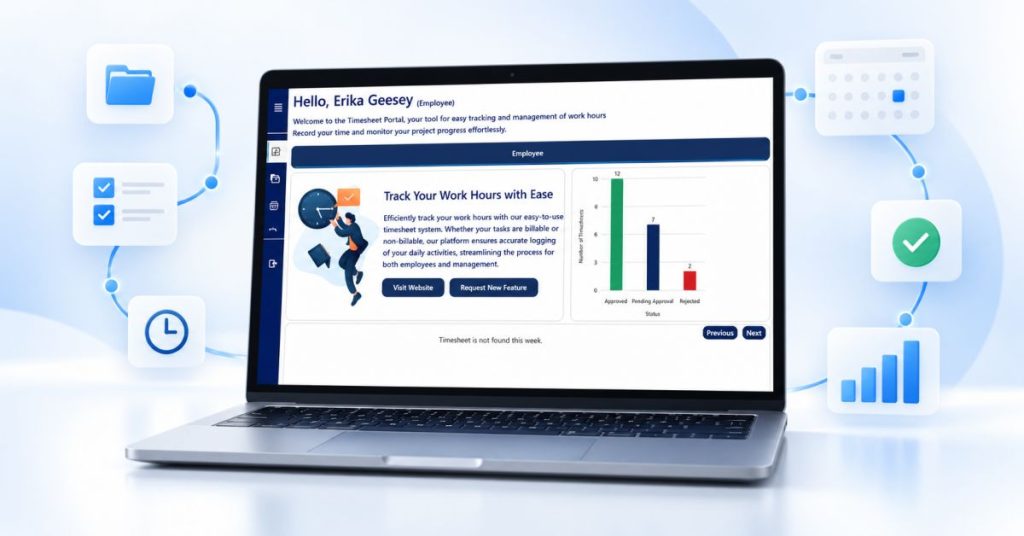
How to Track Project Hours in Microsoft 365 Microsoft 365 is already part of the daily workflow for many project-based organizations. Teams use it for communication, document management, collaboration, and reporting. But what about tracking the hours employees spend on projects? Can Microsoft 365 be used for project time tracking? Yes. Organizations can use Microsoft 365 and SharePoint to create a structured process for collecting project hours, managing timesheets, approving entries, and preparing the data for reporting. The important part is designing the process around the way project teams actually work. What Is Microsoft 365 Project Time Tracking? Microsoft 365 project time tracking is the process of recording the time employees spend working on specific projects and tasks within the Microsoft ecosystem. There is an important difference between general employee time tracking and project time tracking. Employee time tracking answers: How many hours did an employee work? Project time tracking adds another question: What project or task did those hours go toward? For project-based organizations, that additional context is critical. A useful project time-tracking process connects: Employee → Project → Task → Hours → Approval → Reporting Why Track Project Hours? Project hours provide more than a record of employee activity. When employees consistently record their time against projects and tasks, organizations can gain a clearer understanding of where effort is being allocated. Project time tracking can help teams: Record hours against specific projects Track effort at the task level Separate billable and non-billable hours Create a structured timesheet approval process Identify missing timesheets Report on employee and project hours Prepare data for further analysis The quality of project reporting depends heavily on the quality of the information collected at the beginning of the process. How to Track Project Hours in Microsoft 365 A practical workflow can be divided into several stages. 1. Set Up Projects and Tasks Start by defining the projects and tasks employees will record time against. For example: Project: Construction Project A Tasks: Site preparation Engineering Procurement Installation Quality inspection Project management The structure will vary by organization, but employees should have a consistent way to identify where their time was spent. 2. Employees Enter Their Hours Employees record the hours they worked against the appropriate project and task. A structured timesheet makes this process more consistent than asking employees to maintain separate spreadsheets. Depending on the organization’s requirements, entries may include: Date Project Task Hours Billable/non-billable classification The objective is simple: Capture project time as close to the actual work as possible. 3. Employees Submit Their Timesheets After completing the required entries, employees submit their timesheets for review. This creates a clear distinction between: Time entered and Time submitted. A defined submission process also makes it easier for managers to understand which timesheets are ready for review. 4. Managers Review and Approve Managers then review submitted timesheets. They may need to check: Are the expected hours recorded? Are the correct projects selected? Are the appropriate tasks being used? Are there unusual entries? Does anything require clarification? The timesheet can then be approved or rejected according to the organization’s workflow. This approval step helps create greater confidence in the information before it becomes part of project reporting. 5. Identify Missing Timesheets A good process should also answer: Who hasn’t submitted their timesheet? Without this visibility, managers may have to manually check spreadsheets, emails, or messages to determine whether everyone has submitted their hours. A missing-timesheet report or view can make this process much easier. This becomes particularly important when project reports need to be prepared on a weekly or monthly deadline. 6. Report on Project Hours Once timesheets have been submitted and processed, the information can be used for reporting. Depending on the system, project teams may want to review: Total project hours Employee hours Task hours Billable hours Non-billable hours Approved hours Missing submissions Hours over a selected date range The purpose is not simply to produce another timesheet. The goal is to turn individual time entries into useful project information. How SharePoint Fits Into Project Time Tracking SharePoint can provide the foundation for managing structured project and timesheet information within Microsoft 365. For organizations already using SharePoint, this can be an attractive approach because project time tracking can remain within the existing Microsoft 365 environment. However, creating a complete timesheet process involves more than simply creating a SharePoint list. A practical solution may need to address: Employee time entry Projects and tasks Timesheet submission Manager approvals Validation rules Missing timesheets Reporting Permissions Data exports Analytics This is where a purpose-built SharePoint timesheet application can help. What About Power BI? Project time data becomes even more useful when it can be connected to business reporting. Organizations using Power BI can use timesheet information as part of their reporting and analytics environment. For example, project teams may want to analyze: Hours by project Hours by employee Billable vs. non-billable hours Project effort over time Task-level effort The specific dashboard and analysis requirements will depend on the organization. The important point is that structured timesheet data provides a better foundation for reporting than disconnected employee spreadsheets. Where Timesheet Pro 365 Fits Timesheet Pro 365 is designed for organizations that want to manage project time tracking and timesheets within Microsoft 365 and SharePoint. The workflow is straightforward: Employees Record hours against projects and tasks. ↓ Managers Review and approve submitted timesheets. ↓ Organization Gets structured project time data. ↓ Project Teams & Leadership Use reports and Power BI to understand project effort. Timesheet Pro 365 is not designed to replace project management platforms such as Primavera P6 or Microsoft Project. Instead, it can complement those tools by providing structured project time information that can support reporting and decision-making. [Internal Link: Timesheet Pro 365 Features] Microsoft 365 Project Time Tracking vs. Excel Excel can absolutely be used to track project hours. For a small team with a simple process, a spreadsheet may be enough. The challenge usually appears as the number of employees, projects, managers, and reporting requirements increases. Requirement

Fix Reporting before it reaches leadership
Uncategorized

Why Project Reporting Fails Before It Reaches Leadership

Why Project Reporting Fails Before It Reaches Leadership The Biggest Reporting Problem Isn’t Reporting When executives receive project reports, they assume the information accurately reflects what is happening across projects. Unfortunately, this is not always the case. Many organizations focus on improving dashboards, reports, and analytics while overlooking a more fundamental problem: The information feeding those reports is often incomplete, delayed, or inconsistent. As a result, reporting challenges frequently begin long before reports reach leadership. Project Reporting Depends on Information Flow Every project report relies on information collected from multiple people across the organization. This may include: Site managers Project managers Supervisors Team leads Operations teams Contractors Each stakeholder contributes pieces of information that eventually become part of project reporting. When updates are delayed or missing, reporting quality suffers. The issue is not necessarily the report itself. The issue is the flow of information behind it. Why Updates Often Arrive Too Late Most project teams operate in fast-moving environments. Site managers are focused on project execution. Supervisors are managing teams. Project managers are balancing schedules, resources, and stakeholder expectations. As a result, project updates are often postponed until someone requests them. The reporting process becomes reactive rather than structured. Common symptoms include: Missing timesheets Delayed submissions Incomplete project updates Last-minute reporting requests Multiple follow-up emails Over time, these issues create reporting delays that affect visibility at every level of the organization. The Hidden Cost of Manual Follow-Up Many organizations underestimate how much time is spent collecting information. Before a report can be created, someone often needs to: Send reminders Follow up with employees Track missing submissions Consolidate spreadsheets Verify project hours This administrative effort consumes valuable time that could be spent analyzing project performance and identifying opportunities for improvement. Instead of improving projects, teams become focused on gathering information. Why Spreadsheets Create Reporting Bottlenecks Spreadsheets remain one of the most common tools for project reporting. They are familiar, flexible, and easy to create. However, as projects grow, spreadsheets introduce new challenges. Organizations often struggle with: Multiple spreadsheet versions Data inconsistencies Manual calculations Missing updates Limited visibility The larger the project portfolio becomes, the more difficult spreadsheet-based reporting becomes to maintain. Approval Delays Affect Reporting Accuracy Many organizations have approval processes designed to ensure reporting accuracy. However, approval delays can become a bottleneck. When timesheets or project updates remain unapproved: Reporting timelines slip Information becomes outdated Leadership receives delayed insights Project visibility decreases Approval processes should support reporting, not slow it down. Better Reporting Starts Earlier Organizations often try to solve reporting challenges by introducing new dashboards or reporting tools. While reporting technology is important, the real opportunity lies earlier in the process. Improving project reporting begins with: Consistent information collection Structured update processes Timely submissions Approval workflows Clear reporting ownership When these foundations are in place, reporting naturally becomes more accurate and reliable. How Microsoft 365 Can Improve Information Collection Many organizations already use Microsoft 365 for collaboration and communication. Tools such as: SharePoint Microsoft Teams Outlook Power BI can help organizations create more structured reporting processes. Instead of relying on disconnected spreadsheets and email chains, project information can be collected within a centralized environment. This improves visibility while reducing administrative effort. How Timesheet Pro 365 Supports Better Reporting Processes Timesheet Pro 365 helps organizations improve reporting by strengthening the information collection process. Key capabilities include: Project-based timesheet tracking Task-level reporting Approval and rejection workflows Automated email notifications Project and employee reporting filters Billable and non-billable hour reporting Power BI integration Microsoft 365 and SharePoint integration By improving how information is collected and approved, organizations can reduce reporting delays and improve visibility. Conclusion Project reporting problems rarely begin in reports. They begin much earlier. Missing updates, delayed submissions, spreadsheet dependency, and approval bottlenecks all contribute to reporting challenges that eventually reach leadership. Organizations that improve information collection often discover that reporting becomes easier, faster, and more reliable. Because effective reporting is not just about creating reports. It is about creating a reliable flow of information from project teams to decision-makers.

why timesheet data is the foundation of accurate project reporting
Uncategorized

Why Timesheet Data Is the Foundation of Accurate Project Reporting

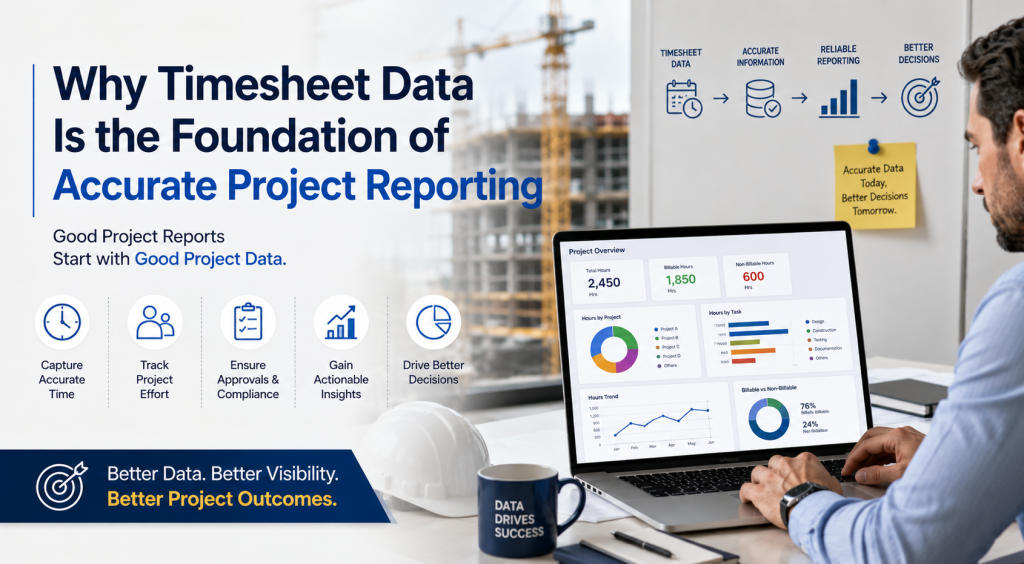
Why Timesheet Data Is the Foundation of Accurate Project Reporting Good Project Reports Start with Good Project Data Organizations invest significant time and effort creating project reports. They build dashboards. They create spreadsheets. They generate weekly and monthly reports. Yet many project managers and executives still struggle to trust the information they receive. The reason is simple. Project reporting is only as reliable as the data behind it. No reporting tool, dashboard, or business intelligence platform can compensate for incomplete, delayed, or inconsistent project information. Accurate project reporting starts with accurate project data. Why Project Reporting Often Becomes Unreliable Many organizations focus heavily on reporting outputs while paying less attention to how project information is collected. Project updates often come from multiple sources: Emails Excel spreadsheets Site supervisors Project managers Shared documents Multiple software systems As projects grow, information becomes increasingly difficult to consolidate and validate. By the time reports are generated, project teams may already be working with outdated information. The result is reporting that looks complete but may not accurately reflect project reality. The Importance of Timesheet Data One of the most valuable sources of project information is timesheet data. Every project consumes time. Every task requires effort. Every resource contributes hours toward project delivery. This makes timesheet information one of the most consistent and measurable sources of project performance data. When collected correctly, timesheet data can provide visibility into: Hours spent on projects Hours spent on tasks Billable and non-billable effort Resource allocation Project progress trends Reporting accuracy Without reliable timesheet information, project reporting often relies on assumptions rather than facts. Common Challenges with Timesheet Collection Many organizations still rely on manual methods to collect project hours. These methods may include: Email submissions Spreadsheets Paper forms Informal updates While these approaches may work for smaller teams, they become increasingly difficult to manage as organizations grow. Common challenges include: Missing submissions Delayed updates Data entry errors Multiple versions of the same spreadsheet Inconsistent reporting formats These challenges create visibility gaps that eventually affect project reporting quality. Why Reporting Problems Often Begin Before Reporting Starts When executives receive inaccurate reports, the reporting tool is often blamed. However, reporting tools typically display the information they receive. The real issue usually occurs earlier in the process. Reporting quality is affected by: How information is collected How frequently updates are submitted Whether approvals are completed on time How data is validated How information is consolidated Improving reporting often begins with improving data collection processes. From Timesheets to Meaningful Project Insights When organizations collect project hours consistently, reporting becomes significantly more valuable. Structured timesheet data can help organizations understand: Project Effort How much time is being invested in projects and activities. Task-Level Visibility Where project effort is being spent. Billable and Non-Billable Work How resources are contributing to organizational objectives. Resource Performance How teams are allocating time across projects. Historical Trends How project effort changes over time. These insights help organizations move beyond activity tracking and toward informed decision-making. Why Microsoft 365 Organizations Have an Advantage Many organizations already use Microsoft 365 tools such as: SharePoint Microsoft Teams Outlook Power BI These platforms provide a strong foundation for collecting, managing, and reporting project information. When project data is collected within a structured environment, organizations can reduce manual effort while improving reporting accuracy. This creates a more reliable flow of information from project teams to decision-makers. How Timesheet Pro 365 Supports Better Reporting Timesheet Pro 365 helps organizations improve project reporting by making timesheet collection more structured and consistent. Key capabilities include: Project-based time tracking Task-level tracking Approval and rejection workflows Automated email notifications Manager, employee, project, and task reporting filters Billable and non-billable hour reporting Power BI integration SharePoint and Microsoft 365 integration By improving how project information is collected, organizations can create a stronger foundation for project reporting and visibility. Conclusion Project reporting does not begin with dashboards. It begins with data. Organizations that focus only on reporting outputs often overlook the importance of accurate information collection. Reliable timesheet data provides the foundation for meaningful project reporting, better visibility, and more informed decision-making. Before investing in more reports, organizations should first ensure they have a reliable process for collecting project information. Because better reporting starts with better data.

Can Microsoft 365 be used for project tracking
Uncategorized

Can Microsoft 365 Be Used for Project Tracking?

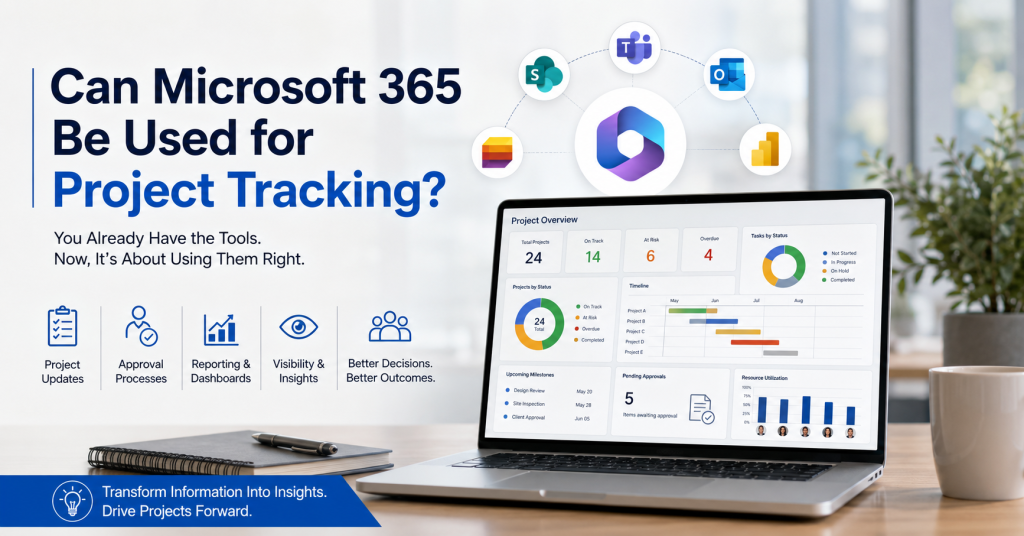
Can Microsoft 365 Be Used for Project Tracking? Many Organizations Already Own the Foundation for Project Tracking When organizations look for project tracking software, the first instinct is often to purchase another platform. However, many businesses already use Microsoft 365 every day. The question becomes: Can Microsoft 365 provide the foundation for effective project tracking? The answer is yes—when implemented correctly. Many organizations already have access to powerful tools such as SharePoint, Microsoft Teams, Outlook, and Power BI. The challenge is not the technology itself. The challenge is creating a structured process that transforms project information into meaningful insights. Why Organizations Struggle With Project Tracking Project tracking becomes difficult when information is scattered across multiple locations. Project updates often live in: Emails Spreadsheets Shared drives Meeting notes Multiple reporting systems As projects grow, visibility decreases. Project managers spend more time collecting information than analyzing it. Teams often find themselves chasing updates, reconciling data, and preparing reports instead of focusing on project outcomes. Without a structured process, decision-makers struggle to obtain a clear view of project performance. What Microsoft 365 Already Provides Most organizations already have access to several tools that support project collaboration and reporting, including: SharePoint Microsoft Teams Outlook Power BI Microsoft Lists Together, these tools provide a strong foundation for managing project information, collaboration, and reporting. Instead of introducing another platform, many organizations can leverage their existing Microsoft 365 investment to improve project visibility. The Role of SharePoint in Project Tracking SharePoint plays a critical role in project tracking because it provides a centralized environment for managing information. Organizations can use SharePoint for: Document management Project information storage Structured data collection Permission management Workflow automation Collaboration By centralizing project information, teams can reduce data silos and improve consistency across projects. What Is Missing From Basic Microsoft 365 Deployments While Microsoft 365 provides the foundation, many organizations still struggle with project tracking because they lack structured processes. Common challenges include: Inconsistent project updates Manual approval processes Limited reporting visibility Resource tracking difficulties Executive reporting requirements Technology alone does not create visibility. Successful project tracking depends on how information is collected, validated, and reported. How Organizations Use Microsoft 365 for Project Tracking Organizations that successfully manage projects within Microsoft 365 typically focus on four key areas. Project Updates Capturing project information consistently and on time. Approval Processes Ensuring information is reviewed and validated before it is used for reporting. Reporting Transforming project data into meaningful insights. Visibility Providing stakeholders with timely access to the information they need to make decisions. When these elements work together, project tracking becomes significantly more effective. Why Construction Organizations Are Adopting Microsoft 365-Based Solutions Construction projects generate information from multiple sources every day. Site managers, supervisors, engineers, project controls teams, and leadership all require access to project information. Many construction organizations are choosing Microsoft 365-based solutions because they offer: Reduced training requirements Familiar user experiences Improved collaboration Centralized information management Better reporting visibility Instead of introducing another system, organizations can build on tools their teams already use. Microsoft 365 and Project Visibility Project tracking is not simply about recording activities. It is about helping decision-makers answer important questions such as: Which projects are on track? Which projects require attention? Are project updates arriving on time? Where are approval bottlenecks occurring? How are resources being utilized? The goal is to transform project information into actionable insights. When organizations improve visibility, they improve their ability to make timely and informed decisions. How Timesheet Pro 365 Extends Microsoft 365 Timesheet Pro 365 helps organizations create structured project tracking processes within Microsoft 365. Key capabilities include: Project tracking Approval workflows Automated notifications Reporting and dashboards Power BI integration Executive visibility Rather than replacing Microsoft 365, Timesheet Pro 365 extends the platform to support better project reporting and decision-making. This helps organizations improve visibility while continuing to work within their existing Microsoft ecosystem. Conclusion Many organizations already own the foundation for effective project tracking. Microsoft 365 provides the collaboration, information management, and reporting capabilities needed to support project visibility. The challenge is creating structured processes that transform project information into actionable insights. By combining Microsoft 365 with the right workflows and reporting capabilities, organizations can improve project tracking, increase visibility, and make better decisions. The question is no longer whether Microsoft 365 can be used for project tracking. The real question is how effectively organizations are using the tools they already have.

Collect project update efficiently
Uncategorized

How to Collect Project Updates Without Constant Follow-Up

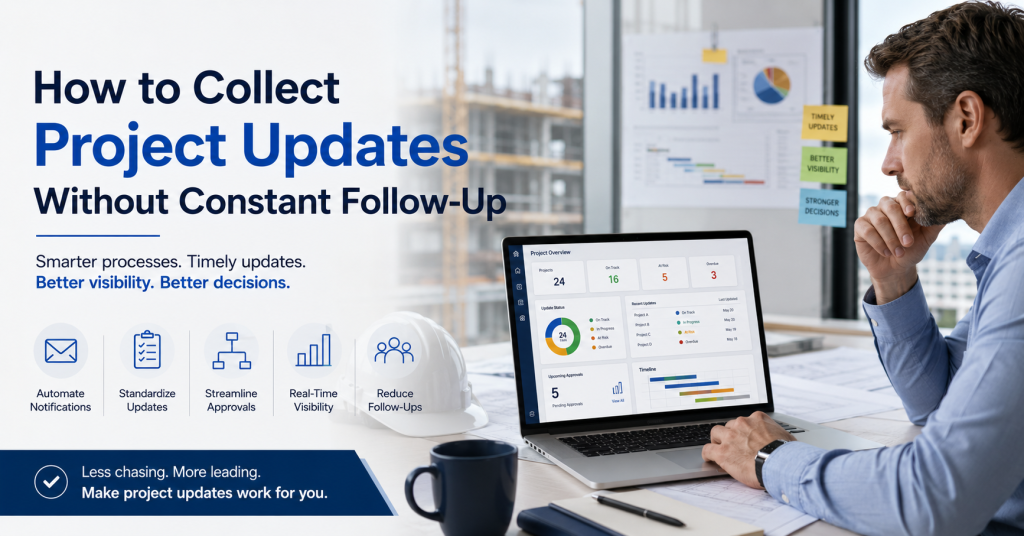
How to Collect Project Updates Without Constant Follow-Up Project Managers Shouldn't Spend Their Day Chasing Updates For many construction and project teams, reporting begins with a familiar routine. A project manager needs status updates. An email is sent. A reminder follows. Then another. Some updates arrive immediately. Others take days. By the time information is collected, consolidated, and shared, the reporting cycle has already consumed valuable time. The problem isn't that people don't want to provide updates. The problem is that the process depends heavily on manual follow-up. Why Timely Project Updates Matter Accurate project reporting relies on timely information. Project managers need updates to understand: Current project status Resource utilization Labor effort Schedule progress Potential risks When information arrives late, decision-making becomes reactive rather than proactive. Small issues can grow into larger problems before they are visible to stakeholders. Common Ways Organizations Collect Project Updates Many organizations still rely on methods such as: Email Simple to start. Difficult to track consistently. Spreadsheets Flexible and familiar. But often dependent on manual updates and consolidation. Meetings Useful for discussion. Not ideal as the primary source of project reporting data. Messaging Applications Fast communication. Limited reporting structure. While these methods work initially, they often become difficult to manage as projects and teams grow. The Hidden Cost of Constant Follow-Up Most organizations underestimate the amount of time spent collecting information. Project managers frequently find themselves: Sending reminders Tracking missing updates Following up with multiple stakeholders Consolidating information from different sources Validating reporting data Instead of analyzing project performance, valuable time is spent gathering information. This creates unnecessary administrative effort across the organization. Why Manual Processes Break Down As projects become more complex, reporting requirements increase. Information comes from: Site managers Engineers Supervisors Contractors Project controls teams Without a structured process, updates arrive in different formats and at different times. The result is: Delayed reporting Inconsistent information Approval bottlenecks Reduced visibility Organizations often discover that collecting updates becomes more difficult than creating reports. A Better Approach to Project Update Collection The most effective reporting processes reduce dependence on manual reminders. Instead of chasing updates, organizations establish structured workflows that help information flow naturally through the reporting process. A good process should: Make submissions simple Standardize information collection Automate notifications Support approvals Improve reporting visibility When updates become part of everyday operations, reporting becomes significantly easier. Using Microsoft 365 to Improve Project Reporting Many organizations already use Microsoft 365 tools such as: SharePoint Microsoft Teams Outlook Power BI By building project update processes within this environment, organizations can reduce administrative effort while improving visibility. Structured workflows help ensure that information reaches the right people at the right time without relying on repeated follow-up. Better Information Leads to Better Visibility Project visibility depends on information quality and timing. The best dashboards and reports cannot compensate for missing or delayed updates. Organizations that improve project reporting often focus first on improving how information is collected. When updates arrive consistently and on time, teams can spend less time chasing information and more time making decisions. Conclusion Project managers shouldn't have to spend their day collecting updates. As projects grow, manual reporting processes become increasingly difficult to maintain. By implementing structured workflows and reducing dependence on reminders, organizations can improve reporting accuracy, increase visibility, and make better decisions. The goal isn't simply to collect more information. It's to make project information available when it matters most.

Why Sites update reach primavera too late
Uncategorized

Why Site Updates Reach Primavera Too Late

Why Site Updates Reach Primavera Too Late The Information Gap Most Construction Teams Experience Construction projects generate a constant flow of information. Every day, site managers monitor progress, track completed activities, identify delays, coordinate resources, and resolve unexpected issues. The challenge is not a lack of information. The challenge is ensuring that the right information reaches the right people at the right time. In many construction organizations, site teams have a clear understanding of what is happening on the ground. However, by the time that information reaches project controls teams, planners, or management reports, valuable time has already passed. As a result, project decisions are often based on information that is no longer current. Project Information Often Travels Through Too Many Steps A typical construction project involves multiple stakeholders. Information may move through several stages before it reaches Primavera or management reports: Site supervisors collect updates Site managers review progress Updates are shared through emails, calls, or meetings Information is consolidated into spreadsheets Project controls teams update schedules Reports are generated for management Each additional step introduces the possibility of delay. Even when every team is doing its job correctly, the process itself can slow down the flow of information. The result is a gap between what is happening on-site and what is reflected in project schedules and reports. When Reporting Depends on Follow-Ups Many project managers spend a significant amount of time chasing updates. Questions such as: Has today's progress been reported? Have labor hours been submitted? Were delays documented? Has the schedule been updated? become part of the weekly routine. Instead of focusing on project execution, teams spend valuable time collecting information from multiple sources. As projects grow larger, the number of follow-ups increases. The reporting process becomes dependent on people remembering to send updates rather than a consistent and structured process. The Cost of Delayed Project Information Delayed information does not always create immediate problems. However, over time, it affects decision-making. Schedule Visibility When project schedules are not updated promptly, management may not have a clear picture of actual project progress. Small delays can remain unnoticed until they become larger issues. Resource Planning Resource allocation decisions often depend on current project information. When updates are delayed, teams may be assigned based on outdated assumptions. Reporting Accuracy Executives rely on project reports to understand performance and identify risks. The longer it takes to collect information, the greater the possibility that reports no longer reflect current site conditions. Technology Is Rarely the Main Problem Many organizations already have planning and scheduling systems in place. The challenge is usually not the scheduling platform itself. The challenge is the process used to collect and transfer information from the field. When updates are captured late, shared inconsistently, or maintained across multiple spreadsheets, even the most sophisticated planning tools can only work with the information they receive. Improving project visibility often starts with improving how information is collected and shared. Better Visibility Starts at the Source The most effective reporting processes are often the simplest. Rather than relying on multiple handoffs, organizations benefit from capturing information as close to the source as possible. When project updates are collected consistently and made available to stakeholders quickly, organizations can: Reduce reporting delays Improve schedule visibility Minimize follow-up effort Increase confidence in project information Support faster decision-making The goal is not simply to update schedules faster. The goal is to ensure that decision-makers have access to accurate and timely information when it matters most. Final Thoughts Primavera remains one of the most widely used scheduling platforms in the construction industry. However, schedule quality depends on the quality of the information feeding it. For many organizations, the challenge is not creating project plans. The challenge is ensuring that information from the field reaches planners, project controls teams, and management quickly enough to support effective decision-making. Reducing the gap between site activity and project reporting is often one of the most important steps toward improving overall project visibility.

Project team managing project tracking and reporting data across multiple sources with dashboards, workflows, and collaboration tools beyond Excel spreadsheets
Uncategorized

Why Growing Project Teams Outgrow Excel for Tracking and Reporting

Why Growing Project Teams Outgrow Excel for Tracking and Reporting Excel Works Well – Until Project Complexity Increases Excel is often the first tool organizations use for project tracking and reporting. It is familiar, flexible, and easy to implement. However, as projects grow in size and complexity, organizations begin managing more resources, stakeholders, reporting requirements, and project updates. The spreadsheet itself is not the problem -the growing complexity around it is. Project Data Often Comes from Multiple Sources Many organizations collect project information from site teams, planning systems, emails, meetings, and daily reports. This information is then manually consolidated into Excel for reporting purposes. Each manual handoff increases the risk of delays, inconsistencies, and inaccurate information, making it harder to maintain confidence in project data. Multiple People Managing the Same Spreadsheet Creates Risk As projects grow, multiple individuals often update the same spreadsheet. Project managers, coordinators, finance teams, and executives may all interact with the same file. Over time, questions arise about ownership, version control, and data accuracy. Teams can end up spending more time validating information than discussing project outcomes. Reporting Becomes a Process of Consolidation Many project teams spend hours collecting updates, following up with stakeholders, combining spreadsheets, and preparing reports. Instead of focusing on project execution, significant effort is spent on assembling information. Reporting itself can become a major operational task. Better Visibility Requires More Than a Spreadsheet Growing organizations typically require centralized updates, approval workflows, automated notifications, project visibility, and consistent reporting. These needs often extend beyond what a spreadsheet was originally designed to support. Final Thoughts Excel remains a valuable business tool and will continue to play an important role in many organizations. However, as project operations become more complex, teams often need a more structured approach to collecting information, managing approvals, and maintaining visibility across projects. The goal is not to replace Excel – it is to reduce manual effort and improve confidence in project reporting.

Timesheet_swapped_CLEAN_2
Uncategorized

Timesheet Pro 365 vs Timesheet 365: Complete Comparison Guide

Timesheet Pro 365 vs Timesheet 365: Complete Comparison Guide Best Timesheet Application for you and your business What Is Timesheet Pro 365? Timesheet Pro 365 is a SharePoint-native time tracking solution, designed for organizations that want clarity, control, and seamless integration within Microsoft 365.Built as an SPFx web part, it works directly inside SharePoint and Microsoft Teams – allowing teams to log time, manage approvals, and generate reports without leaving their existing environment.It focuses on simplicity, scalability, and strong reporting, while ensuring that your data remains fully within your Microsoft 365 tenant.Best for: Organizations looking for a clean, reliable, and fully integrated time tracking system with minimal setup and strong reporting capabilities.Standout feature: Native SharePoint experience with unlimited users and strong Power BI integration, enabling scalable insights without added complexity. What Is Timesheet 365? Timesheet 365 is a comprehensive time tracking solution designed for organizations that require advanced automation, AI-driven insights, and extended customization.It integrates across Microsoft 365 services such as SharePoint, Teams, Power Automate, and Power BI, enabling organizations to build more complex and automated workflows.Best for: Organizations that need advanced features, automation, and deeper customization within their time tracking processes.Standout feature: AI-powered insights and flexible workflows for more complex operational environments. At a Glance Quick Comparison A side-by-side look at how both tools stack up across the dimensions that matter most to SharePoint-native organizations. Feature ⭐ Timesheet Pro 365 Timesheet 365 Starting Price $499/year Better Value $599.88/year ($49.99/mo) User Pricing Model Unlimited users, flat rate No per-user cost Per-user tiers, scales up fast SharePoint Native (SPFx) ✓ Full SPFx Web Part Partial — Microsoft 365 integrated Infrastructure Required ✓ Zero — uses existing M365 Minimal — additional setup needed Data Stays in Your Tenant ✓ 100% — SharePoint Lists Partial — depends on plan Setup Time < 30 minutes via AppSource Requires more configuration AI Features ✗ Not needed for core tracking ✓ AI-powered analytics Power BI Integration ✓ Great Power BI integration ✓ Deep integration Approval Workflows ✓ Built-in manager approvals ✓ Power Automate workflows Mobile Access Office 365 mobile (browser) Native iOS / Android app Microsoft Teams ✓ Full Teams integration ✓ Teams integration Free Trial 30-day free trial Longer Trial 14-day free trial Enterprise Plan ✓ $1,499/yr + customization ✓ $199.99/mo + per-user fees Why Pro Wins​ The Timesheet Pro 365 Advantage​ Six reasons why SharePoint-native organizations consistently choose Timesheet Pro 365 for reliable, cost-effective time tracking. 💰 Flat-Rate Pricing That Scales One price covers your entire organization – whether you have 10 or 10,000 users. No per-seat fees, no surprise invoices as your team grows. Timesheet 365 charges per-user tiers that escalate quickly for larger teams, adding $2–3/user beyond plan limits. 🏢 100% SharePoint Native Built as an SPFx Web Part that lives directly inside your SharePoint environment. No separate app, no context switching, no new platform to learn. Timesheet 365 integrates with Microsoft 365 broadly, but isn’t a native SharePoint SPFx web part in the same way. 🔒 Data Never Leaves Your Tenant All timesheet data is stored exclusively in your SharePoint Lists – inside your Microsoft 365 tenant. Only license validation touches an external server, and that carries zero user data. Complete data sovereignty – critical for enterprise security and compliance requirements. ⚡ Deploy in Under 30 Minutes Install from Microsoft AppSource, configure your site, add users and projects and you’re live. No IT infrastructure, no containerization, no DevOps involvement required. Timesheet 365’s broader feature set means more configuration steps and a steeper onboarding curve. 👥 No New Skills Required Your team already knows Microsoft 365. Timesheet Pro 365 feels native because it is. No training programs, no new tools, no Docker or Kubernetes expertise needed. Timesheet 365 introduces Power Automate, Power BI, and AI features that require additional learning investment. 🎯 Built for What You Actually Need Project-based time tracking, manager approvals, role-based dashboards, Power BI reporting, Microsoft Teams access — all delivered reliably without AI overhead or feature complexity you’ll never use. Need complex workflows? The Enterprise plan covers tailored workflows, custom integrations, and dedicated support. Pricing Breakdown​ Transparent Pricing vs. Tiered Complexity​ Timesheet Pro 365 keeps it simple: two clear plans, unlimited users, no per-seat surprises. ⭐ Recommended Timesheet Pro 365 Flat annual pricing · Unlimited users Professional Plan Unlimited users · AppSource deploy $499/year Enterprise Plan Unlimited users · Custom workflows · Dedicated support $1,499/year + customization Free Trial Full feature access 30 daysno charge ✓ 100-user org pays $499/yr. Cost per user: $4.99. Competitor charges $1,800+/yr for same team size. Timesheet 365 Per-user tiered pricing · Scales with headcount Standard Up to 10 users $49.99/month Plus Up to 20 users $74.99/month Premium Up to 30 users + $2/additional $149.99/month Enterprise Up to 30 users + $3/additional $199.99/month Feature by Feature Transparent Pricing vs. Tiered Complexity​ The same core features – delivered differently. Here’s what that means for your team. ⏱ Time Tracking Timesheet Pro 365 Project & task-based daily/weekly logging. Employees submit structured timesheets directly inside SharePoint. Draft, save, and submit in one familiar interface. Timesheet 365 AI-driven smart timer with idle detection and auto-suggestions. More advanced but requires users to learn new behaviors and interface patterns. ✅ Approvals Timesheet Pro 365 Built-in manager approval queue — review, approve, or reject with comments. Email notifications triggered automatically. No external tools needed. Timesheet 365 Power Automate-based workflows with multi-level approval support. Powerful but requires workflow configuration and Power Automate knowledge. 📊 Reporting & BI Timesheet Pro 365 Filterable reports by employee, project, date range, and status. Export to Excel. Great Power BI integration for visual dashboards. Daily breakdown and missing timesheet reports built in — all within SharePoint. Timesheet 365 Power BI dashboards with deep analytics and profitability tracking. Excellent for data-heavy organizations, but requires additional Power BI licensing and setup effort. 🔐 Security Timesheet Pro 365 Inherits your Microsoft 365 security stack – MFA, SSO, SharePoint permissions, role-based access. Data stays entirely within your tenant. Zero external data exposure. Timesheet 365 Microsoft 365 integrated with Azure AD. Security is solid but broader integrations (500+ apps, external users) introduce additional attack surface to manage. 💬 Microsoft Teams Timesheet

Scroll to Top