
Uncategorized

Fix Reporting before it reaches leadership
Uncategorized

Why Project Reporting Fails Before It Reaches Leadership

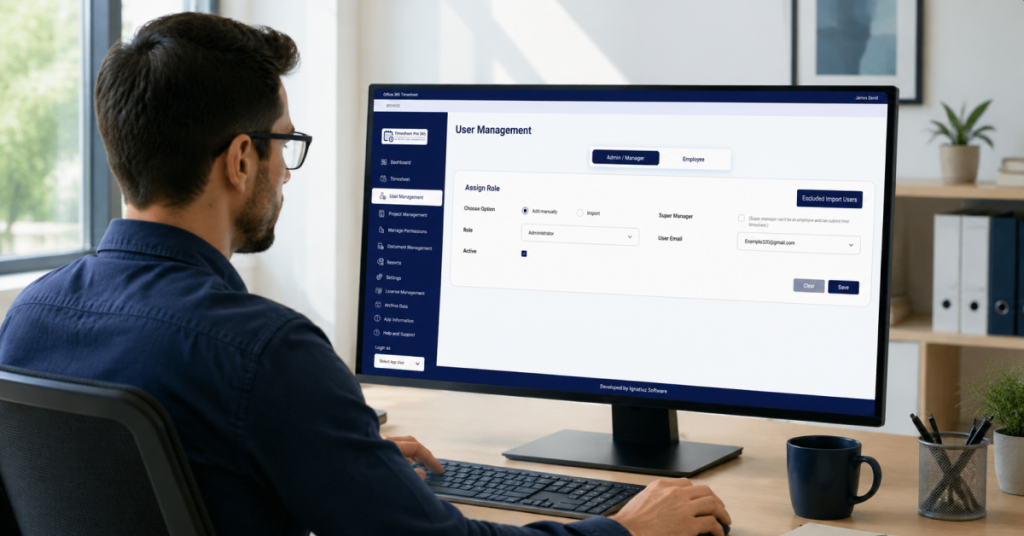
Why Project Reporting Fails Before It Reaches Leadership The Biggest Reporting Problem Isn’t Reporting When executives receive project reports, they assume the information accurately reflects what is happening across projects. Unfortunately, this is not always the case. Many organizations focus on improving dashboards, reports, and analytics while overlooking a more fundamental problem: The information feeding those reports is often incomplete, delayed, or inconsistent. As a result, reporting challenges frequently begin long before reports reach leadership. Project Reporting Depends on Information Flow Every project report relies on information collected from multiple people across the organization. This may include: Site managers Project managers Supervisors Team leads Operations teams Contractors Each stakeholder contributes pieces of information that eventually become part of project reporting. When updates are delayed or missing, reporting quality suffers. The issue is not necessarily the report itself. The issue is the flow of information behind it. Why Updates Often Arrive Too Late Most project teams operate in fast-moving environments. Site managers are focused on project execution. Supervisors are managing teams. Project managers are balancing schedules, resources, and stakeholder expectations. As a result, project updates are often postponed until someone requests them. The reporting process becomes reactive rather than structured. Common symptoms include: Missing timesheets Delayed submissions Incomplete project updates Last-minute reporting requests Multiple follow-up emails Over time, these issues create reporting delays that affect visibility at every level of the organization. The Hidden Cost of Manual Follow-Up Many organizations underestimate how much time is spent collecting information. Before a report can be created, someone often needs to: Send reminders Follow up with employees Track missing submissions Consolidate spreadsheets Verify project hours This administrative effort consumes valuable time that could be spent analyzing project performance and identifying opportunities for improvement. Instead of improving projects, teams become focused on gathering information. Why Spreadsheets Create Reporting Bottlenecks Spreadsheets remain one of the most common tools for project reporting. They are familiar, flexible, and easy to create. However, as projects grow, spreadsheets introduce new challenges. Organizations often struggle with: Multiple spreadsheet versions Data inconsistencies Manual calculations Missing updates Limited visibility The larger the project portfolio becomes, the more difficult spreadsheet-based reporting becomes to maintain. Approval Delays Affect Reporting Accuracy Many organizations have approval processes designed to ensure reporting accuracy. However, approval delays can become a bottleneck. When timesheets or project updates remain unapproved: Reporting timelines slip Information becomes outdated Leadership receives delayed insights Project visibility decreases Approval processes should support reporting, not slow it down. Better Reporting Starts Earlier Organizations often try to solve reporting challenges by introducing new dashboards or reporting tools. While reporting technology is important, the real opportunity lies earlier in the process. Improving project reporting begins with: Consistent information collection Structured update processes Timely submissions Approval workflows Clear reporting ownership When these foundations are in place, reporting naturally becomes more accurate and reliable. How Microsoft 365 Can Improve Information Collection Many organizations already use Microsoft 365 for collaboration and communication. Tools such as: SharePoint Microsoft Teams Outlook Power BI can help organizations create more structured reporting processes. Instead of relying on disconnected spreadsheets and email chains, project information can be collected within a centralized environment. This improves visibility while reducing administrative effort. How Timesheet Pro 365 Supports Better Reporting Processes Timesheet Pro 365 helps organizations improve reporting by strengthening the information collection process. Key capabilities include: Project-based timesheet tracking Task-level reporting Approval and rejection workflows Automated email notifications Project and employee reporting filters Billable and non-billable hour reporting Power BI integration Microsoft 365 and SharePoint integration By improving how information is collected and approved, organizations can reduce reporting delays and improve visibility. Conclusion Project reporting problems rarely begin in reports. They begin much earlier. Missing updates, delayed submissions, spreadsheet dependency, and approval bottlenecks all contribute to reporting challenges that eventually reach leadership. Organizations that improve information collection often discover that reporting becomes easier, faster, and more reliable. Because effective reporting is not just about creating reports. It is about creating a reliable flow of information from project teams to decision-makers.
why timesheet data is the foundation of accurate project reporting
Uncategorized

Why Timesheet Data Is the Foundation of Accurate Project Reporting

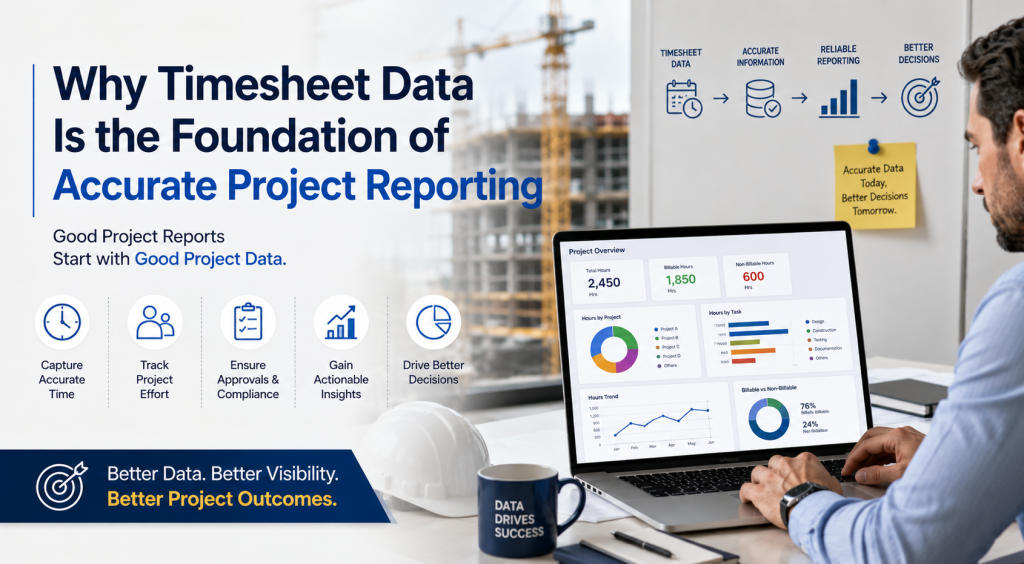
Why Timesheet Data Is the Foundation of Accurate Project Reporting Good Project Reports Start with Good Project Data Organizations invest significant time and effort creating project reports. They build dashboards. They create spreadsheets. They generate weekly and monthly reports. Yet many project managers and executives still struggle to trust the information they receive. The reason is simple. Project reporting is only as reliable as the data behind it. No reporting tool, dashboard, or business intelligence platform can compensate for incomplete, delayed, or inconsistent project information. Accurate project reporting starts with accurate project data. Why Project Reporting Often Becomes Unreliable Many organizations focus heavily on reporting outputs while paying less attention to how project information is collected. Project updates often come from multiple sources: Emails Excel spreadsheets Site supervisors Project managers Shared documents Multiple software systems As projects grow, information becomes increasingly difficult to consolidate and validate. By the time reports are generated, project teams may already be working with outdated information. The result is reporting that looks complete but may not accurately reflect project reality. The Importance of Timesheet Data One of the most valuable sources of project information is timesheet data. Every project consumes time. Every task requires effort. Every resource contributes hours toward project delivery. This makes timesheet information one of the most consistent and measurable sources of project performance data. When collected correctly, timesheet data can provide visibility into: Hours spent on projects Hours spent on tasks Billable and non-billable effort Resource allocation Project progress trends Reporting accuracy Without reliable timesheet information, project reporting often relies on assumptions rather than facts. Common Challenges with Timesheet Collection Many organizations still rely on manual methods to collect project hours. These methods may include: Email submissions Spreadsheets Paper forms Informal updates While these approaches may work for smaller teams, they become increasingly difficult to manage as organizations grow. Common challenges include: Missing submissions Delayed updates Data entry errors Multiple versions of the same spreadsheet Inconsistent reporting formats These challenges create visibility gaps that eventually affect project reporting quality. Why Reporting Problems Often Begin Before Reporting Starts When executives receive inaccurate reports, the reporting tool is often blamed. However, reporting tools typically display the information they receive. The real issue usually occurs earlier in the process. Reporting quality is affected by: How information is collected How frequently updates are submitted Whether approvals are completed on time How data is validated How information is consolidated Improving reporting often begins with improving data collection processes. From Timesheets to Meaningful Project Insights When organizations collect project hours consistently, reporting becomes significantly more valuable. Structured timesheet data can help organizations understand: Project Effort How much time is being invested in projects and activities. Task-Level Visibility Where project effort is being spent. Billable and Non-Billable Work How resources are contributing to organizational objectives. Resource Performance How teams are allocating time across projects. Historical Trends How project effort changes over time. These insights help organizations move beyond activity tracking and toward informed decision-making. Why Microsoft 365 Organizations Have an Advantage Many organizations already use Microsoft 365 tools such as: SharePoint Microsoft Teams Outlook Power BI These platforms provide a strong foundation for collecting, managing, and reporting project information. When project data is collected within a structured environment, organizations can reduce manual effort while improving reporting accuracy. This creates a more reliable flow of information from project teams to decision-makers. How Timesheet Pro 365 Supports Better Reporting Timesheet Pro 365 helps organizations improve project reporting by making timesheet collection more structured and consistent. Key capabilities include: Project-based time tracking Task-level tracking Approval and rejection workflows Automated email notifications Manager, employee, project, and task reporting filters Billable and non-billable hour reporting Power BI integration SharePoint and Microsoft 365 integration By improving how project information is collected, organizations can create a stronger foundation for project reporting and visibility. Conclusion Project reporting does not begin with dashboards. It begins with data. Organizations that focus only on reporting outputs often overlook the importance of accurate information collection. Reliable timesheet data provides the foundation for meaningful project reporting, better visibility, and more informed decision-making. Before investing in more reports, organizations should first ensure they have a reliable process for collecting project information. Because better reporting starts with better data.
Can Microsoft 365 be used for project tracking
Uncategorized

Can Microsoft 365 Be Used for Project Tracking?

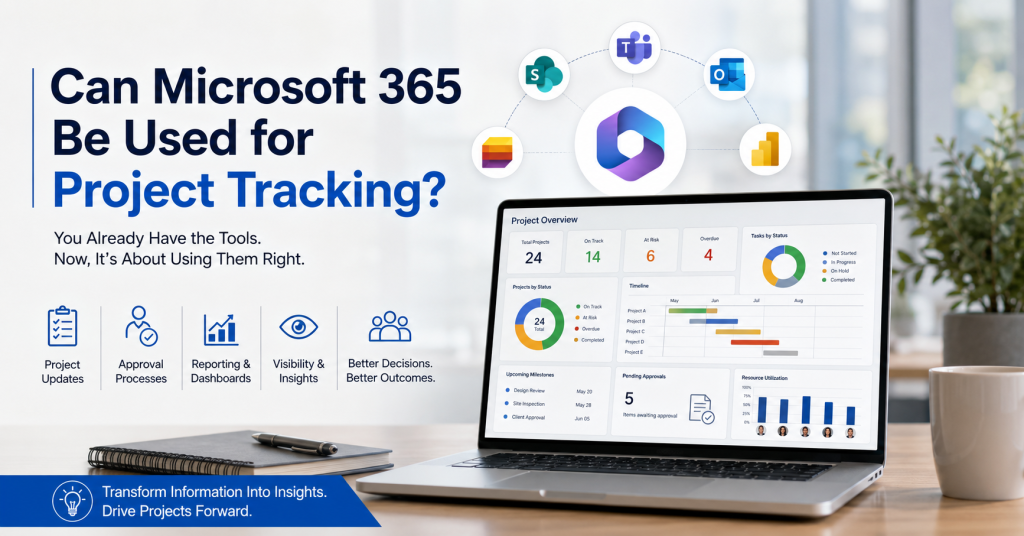
Can Microsoft 365 Be Used for Project Tracking? Many Organizations Already Own the Foundation for Project Tracking When organizations look for project tracking software, the first instinct is often to purchase another platform. However, many businesses already use Microsoft 365 every day. The question becomes: Can Microsoft 365 provide the foundation for effective project tracking? The answer is yes—when implemented correctly. Many organizations already have access to powerful tools such as SharePoint, Microsoft Teams, Outlook, and Power BI. The challenge is not the technology itself. The challenge is creating a structured process that transforms project information into meaningful insights. Why Organizations Struggle With Project Tracking Project tracking becomes difficult when information is scattered across multiple locations. Project updates often live in: Emails Spreadsheets Shared drives Meeting notes Multiple reporting systems As projects grow, visibility decreases. Project managers spend more time collecting information than analyzing it. Teams often find themselves chasing updates, reconciling data, and preparing reports instead of focusing on project outcomes. Without a structured process, decision-makers struggle to obtain a clear view of project performance. What Microsoft 365 Already Provides Most organizations already have access to several tools that support project collaboration and reporting, including: SharePoint Microsoft Teams Outlook Power BI Microsoft Lists Together, these tools provide a strong foundation for managing project information, collaboration, and reporting. Instead of introducing another platform, many organizations can leverage their existing Microsoft 365 investment to improve project visibility. The Role of SharePoint in Project Tracking SharePoint plays a critical role in project tracking because it provides a centralized environment for managing information. Organizations can use SharePoint for: Document management Project information storage Structured data collection Permission management Workflow automation Collaboration By centralizing project information, teams can reduce data silos and improve consistency across projects. What Is Missing From Basic Microsoft 365 Deployments While Microsoft 365 provides the foundation, many organizations still struggle with project tracking because they lack structured processes. Common challenges include: Inconsistent project updates Manual approval processes Limited reporting visibility Resource tracking difficulties Executive reporting requirements Technology alone does not create visibility. Successful project tracking depends on how information is collected, validated, and reported. How Organizations Use Microsoft 365 for Project Tracking Organizations that successfully manage projects within Microsoft 365 typically focus on four key areas. Project Updates Capturing project information consistently and on time. Approval Processes Ensuring information is reviewed and validated before it is used for reporting. Reporting Transforming project data into meaningful insights. Visibility Providing stakeholders with timely access to the information they need to make decisions. When these elements work together, project tracking becomes significantly more effective. Why Construction Organizations Are Adopting Microsoft 365-Based Solutions Construction projects generate information from multiple sources every day. Site managers, supervisors, engineers, project controls teams, and leadership all require access to project information. Many construction organizations are choosing Microsoft 365-based solutions because they offer: Reduced training requirements Familiar user experiences Improved collaboration Centralized information management Better reporting visibility Instead of introducing another system, organizations can build on tools their teams already use. Microsoft 365 and Project Visibility Project tracking is not simply about recording activities. It is about helping decision-makers answer important questions such as: Which projects are on track? Which projects require attention? Are project updates arriving on time? Where are approval bottlenecks occurring? How are resources being utilized? The goal is to transform project information into actionable insights. When organizations improve visibility, they improve their ability to make timely and informed decisions. How Timesheet Pro 365 Extends Microsoft 365 Timesheet Pro 365 helps organizations create structured project tracking processes within Microsoft 365. Key capabilities include: Project tracking Approval workflows Automated notifications Reporting and dashboards Power BI integration Executive visibility Rather than replacing Microsoft 365, Timesheet Pro 365 extends the platform to support better project reporting and decision-making. This helps organizations improve visibility while continuing to work within their existing Microsoft ecosystem. Conclusion Many organizations already own the foundation for effective project tracking. Microsoft 365 provides the collaboration, information management, and reporting capabilities needed to support project visibility. The challenge is creating structured processes that transform project information into actionable insights. By combining Microsoft 365 with the right workflows and reporting capabilities, organizations can improve project tracking, increase visibility, and make better decisions. The question is no longer whether Microsoft 365 can be used for project tracking. The real question is how effectively organizations are using the tools they already have.

Collect project update efficiently
Uncategorized

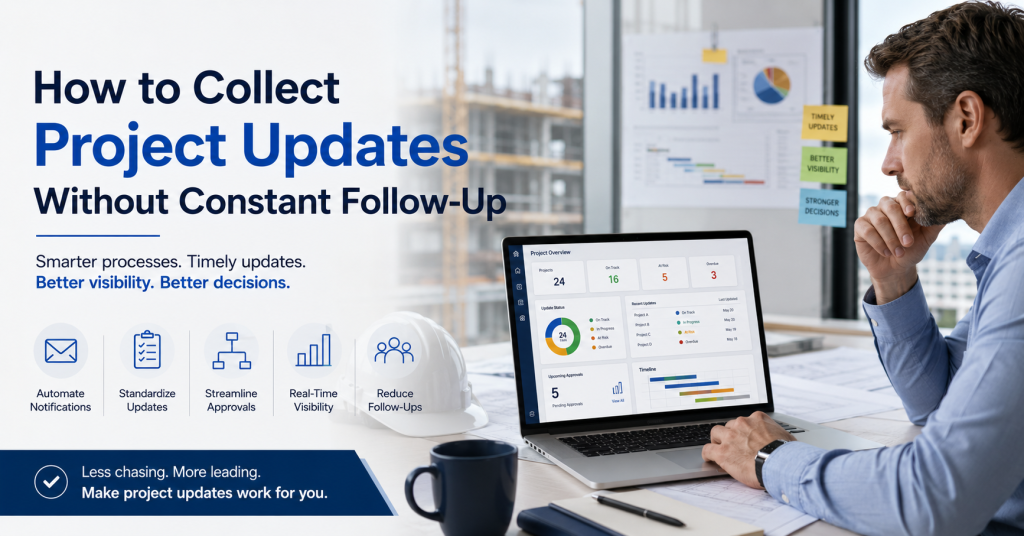
How to Collect Project Updates Without Constant Follow-Up

How to Collect Project Updates Without Constant Follow-Up Project Managers Shouldn't Spend Their Day Chasing Updates For many construction and project teams, reporting begins with a familiar routine. A project manager needs status updates. An email is sent. A reminder follows. Then another. Some updates arrive immediately. Others take days. By the time information is collected, consolidated, and shared, the reporting cycle has already consumed valuable time. The problem isn't that people don't want to provide updates. The problem is that the process depends heavily on manual follow-up. Why Timely Project Updates Matter Accurate project reporting relies on timely information. Project managers need updates to understand: Current project status Resource utilization Labor effort Schedule progress Potential risks When information arrives late, decision-making becomes reactive rather than proactive. Small issues can grow into larger problems before they are visible to stakeholders. Common Ways Organizations Collect Project Updates Many organizations still rely on methods such as: Email Simple to start. Difficult to track consistently. Spreadsheets Flexible and familiar. But often dependent on manual updates and consolidation. Meetings Useful for discussion. Not ideal as the primary source of project reporting data. Messaging Applications Fast communication. Limited reporting structure. While these methods work initially, they often become difficult to manage as projects and teams grow. The Hidden Cost of Constant Follow-Up Most organizations underestimate the amount of time spent collecting information. Project managers frequently find themselves: Sending reminders Tracking missing updates Following up with multiple stakeholders Consolidating information from different sources Validating reporting data Instead of analyzing project performance, valuable time is spent gathering information. This creates unnecessary administrative effort across the organization. Why Manual Processes Break Down As projects become more complex, reporting requirements increase. Information comes from: Site managers Engineers Supervisors Contractors Project controls teams Without a structured process, updates arrive in different formats and at different times. The result is: Delayed reporting Inconsistent information Approval bottlenecks Reduced visibility Organizations often discover that collecting updates becomes more difficult than creating reports. A Better Approach to Project Update Collection The most effective reporting processes reduce dependence on manual reminders. Instead of chasing updates, organizations establish structured workflows that help information flow naturally through the reporting process. A good process should: Make submissions simple Standardize information collection Automate notifications Support approvals Improve reporting visibility When updates become part of everyday operations, reporting becomes significantly easier. Using Microsoft 365 to Improve Project Reporting Many organizations already use Microsoft 365 tools such as: SharePoint Microsoft Teams Outlook Power BI By building project update processes within this environment, organizations can reduce administrative effort while improving visibility. Structured workflows help ensure that information reaches the right people at the right time without relying on repeated follow-up. Better Information Leads to Better Visibility Project visibility depends on information quality and timing. The best dashboards and reports cannot compensate for missing or delayed updates. Organizations that improve project reporting often focus first on improving how information is collected. When updates arrive consistently and on time, teams can spend less time chasing information and more time making decisions. Conclusion Project managers shouldn't have to spend their day collecting updates. As projects grow, manual reporting processes become increasingly difficult to maintain. By implementing structured workflows and reducing dependence on reminders, organizations can improve reporting accuracy, increase visibility, and make better decisions. The goal isn't simply to collect more information. It's to make project information available when it matters most.

Why Sites update reach primavera too late
Uncategorized

Why Site Updates Reach Primavera Too Late

Why Site Updates Reach Primavera Too Late The Information Gap Most Construction Teams Experience Construction projects generate a constant flow of information. Every day, site managers monitor progress, track completed activities, identify delays, coordinate resources, and resolve unexpected issues. The challenge is not a lack of information. The challenge is ensuring that the right information reaches the right people at the right time. In many construction organizations, site teams have a clear understanding of what is happening on the ground. However, by the time that information reaches project controls teams, planners, or management reports, valuable time has already passed. As a result, project decisions are often based on information that is no longer current. Project Information Often Travels Through Too Many Steps A typical construction project involves multiple stakeholders. Information may move through several stages before it reaches Primavera or management reports: Site supervisors collect updates Site managers review progress Updates are shared through emails, calls, or meetings Information is consolidated into spreadsheets Project controls teams update schedules Reports are generated for management Each additional step introduces the possibility of delay. Even when every team is doing its job correctly, the process itself can slow down the flow of information. The result is a gap between what is happening on-site and what is reflected in project schedules and reports. When Reporting Depends on Follow-Ups Many project managers spend a significant amount of time chasing updates. Questions such as: Has today's progress been reported? Have labor hours been submitted? Were delays documented? Has the schedule been updated? become part of the weekly routine. Instead of focusing on project execution, teams spend valuable time collecting information from multiple sources. As projects grow larger, the number of follow-ups increases. The reporting process becomes dependent on people remembering to send updates rather than a consistent and structured process. The Cost of Delayed Project Information Delayed information does not always create immediate problems. However, over time, it affects decision-making. Schedule Visibility When project schedules are not updated promptly, management may not have a clear picture of actual project progress. Small delays can remain unnoticed until they become larger issues. Resource Planning Resource allocation decisions often depend on current project information. When updates are delayed, teams may be assigned based on outdated assumptions. Reporting Accuracy Executives rely on project reports to understand performance and identify risks. The longer it takes to collect information, the greater the possibility that reports no longer reflect current site conditions. Technology Is Rarely the Main Problem Many organizations already have planning and scheduling systems in place. The challenge is usually not the scheduling platform itself. The challenge is the process used to collect and transfer information from the field. When updates are captured late, shared inconsistently, or maintained across multiple spreadsheets, even the most sophisticated planning tools can only work with the information they receive. Improving project visibility often starts with improving how information is collected and shared. Better Visibility Starts at the Source The most effective reporting processes are often the simplest. Rather than relying on multiple handoffs, organizations benefit from capturing information as close to the source as possible. When project updates are collected consistently and made available to stakeholders quickly, organizations can: Reduce reporting delays Improve schedule visibility Minimize follow-up effort Increase confidence in project information Support faster decision-making The goal is not simply to update schedules faster. The goal is to ensure that decision-makers have access to accurate and timely information when it matters most. Final Thoughts Primavera remains one of the most widely used scheduling platforms in the construction industry. However, schedule quality depends on the quality of the information feeding it. For many organizations, the challenge is not creating project plans. The challenge is ensuring that information from the field reaches planners, project controls teams, and management quickly enough to support effective decision-making. Reducing the gap between site activity and project reporting is often one of the most important steps toward improving overall project visibility.

Project team managing project tracking and reporting data across multiple sources with dashboards, workflows, and collaboration tools beyond Excel spreadsheets
Uncategorized

Why Growing Project Teams Outgrow Excel for Tracking and Reporting

Why Growing Project Teams Outgrow Excel for Tracking and Reporting Excel Works Well – Until Project Complexity Increases Excel is often the first tool organizations use for project tracking and reporting. It is familiar, flexible, and easy to implement. However, as projects grow in size and complexity, organizations begin managing more resources, stakeholders, reporting requirements, and project updates. The spreadsheet itself is not the problem -the growing complexity around it is. Project Data Often Comes from Multiple Sources Many organizations collect project information from site teams, planning systems, emails, meetings, and daily reports. This information is then manually consolidated into Excel for reporting purposes. Each manual handoff increases the risk of delays, inconsistencies, and inaccurate information, making it harder to maintain confidence in project data. Multiple People Managing the Same Spreadsheet Creates Risk As projects grow, multiple individuals often update the same spreadsheet. Project managers, coordinators, finance teams, and executives may all interact with the same file. Over time, questions arise about ownership, version control, and data accuracy. Teams can end up spending more time validating information than discussing project outcomes. Reporting Becomes a Process of Consolidation Many project teams spend hours collecting updates, following up with stakeholders, combining spreadsheets, and preparing reports. Instead of focusing on project execution, significant effort is spent on assembling information. Reporting itself can become a major operational task. Better Visibility Requires More Than a Spreadsheet Growing organizations typically require centralized updates, approval workflows, automated notifications, project visibility, and consistent reporting. These needs often extend beyond what a spreadsheet was originally designed to support. Final Thoughts Excel remains a valuable business tool and will continue to play an important role in many organizations. However, as project operations become more complex, teams often need a more structured approach to collecting information, managing approvals, and maintaining visibility across projects. The goal is not to replace Excel – it is to reduce manual effort and improve confidence in project reporting.

Timesheet_swapped_CLEAN_2
Uncategorized

Timesheet Pro 365 vs Timesheet 365: Complete Comparison Guide

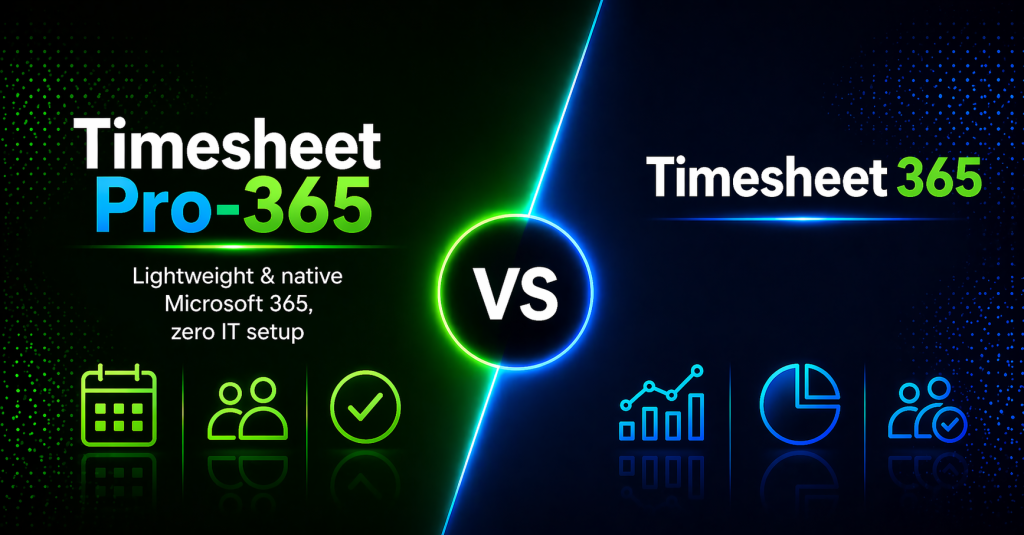
Timesheet Pro 365 vs Timesheet 365: Complete Comparison Guide Best Timesheet Application for you and your business What Is Timesheet Pro 365? Timesheet Pro 365 is a SharePoint-native time tracking solution, designed for organizations that want clarity, control, and seamless integration within Microsoft 365.Built as an SPFx web part, it works directly inside SharePoint and Microsoft Teams – allowing teams to log time, manage approvals, and generate reports without leaving their existing environment.It focuses on simplicity, scalability, and strong reporting, while ensuring that your data remains fully within your Microsoft 365 tenant.Best for: Organizations looking for a clean, reliable, and fully integrated time tracking system with minimal setup and strong reporting capabilities.Standout feature: Native SharePoint experience with unlimited users and strong Power BI integration, enabling scalable insights without added complexity. What Is Timesheet 365? Timesheet 365 is a comprehensive time tracking solution designed for organizations that require advanced automation, AI-driven insights, and extended customization.It integrates across Microsoft 365 services such as SharePoint, Teams, Power Automate, and Power BI, enabling organizations to build more complex and automated workflows.Best for: Organizations that need advanced features, automation, and deeper customization within their time tracking processes.Standout feature: AI-powered insights and flexible workflows for more complex operational environments. At a Glance Quick Comparison A side-by-side look at how both tools stack up across the dimensions that matter most to SharePoint-native organizations. Feature ⭐ Timesheet Pro 365 Timesheet 365 Starting Price $499/year Better Value $599.88/year ($49.99/mo) User Pricing Model Unlimited users, flat rate No per-user cost Per-user tiers, scales up fast SharePoint Native (SPFx) ✓ Full SPFx Web Part Partial — Microsoft 365 integrated Infrastructure Required ✓ Zero — uses existing M365 Minimal — additional setup needed Data Stays in Your Tenant ✓ 100% — SharePoint Lists Partial — depends on plan Setup Time < 30 minutes via AppSource Requires more configuration AI Features ✗ Not needed for core tracking ✓ AI-powered analytics Power BI Integration ✓ Great Power BI integration ✓ Deep integration Approval Workflows ✓ Built-in manager approvals ✓ Power Automate workflows Mobile Access Office 365 mobile (browser) Native iOS / Android app Microsoft Teams ✓ Full Teams integration ✓ Teams integration Free Trial 30-day free trial Longer Trial 14-day free trial Enterprise Plan ✓ $1,499/yr + customization ✓ $199.99/mo + per-user fees Why Pro Wins​ The Timesheet Pro 365 Advantage​ Six reasons why SharePoint-native organizations consistently choose Timesheet Pro 365 for reliable, cost-effective time tracking. 💰 Flat-Rate Pricing That Scales One price covers your entire organization – whether you have 10 or 10,000 users. No per-seat fees, no surprise invoices as your team grows. Timesheet 365 charges per-user tiers that escalate quickly for larger teams, adding $2–3/user beyond plan limits. 🏢 100% SharePoint Native Built as an SPFx Web Part that lives directly inside your SharePoint environment. No separate app, no context switching, no new platform to learn. Timesheet 365 integrates with Microsoft 365 broadly, but isn’t a native SharePoint SPFx web part in the same way. 🔒 Data Never Leaves Your Tenant All timesheet data is stored exclusively in your SharePoint Lists – inside your Microsoft 365 tenant. Only license validation touches an external server, and that carries zero user data. Complete data sovereignty – critical for enterprise security and compliance requirements. ⚡ Deploy in Under 30 Minutes Install from Microsoft AppSource, configure your site, add users and projects and you’re live. No IT infrastructure, no containerization, no DevOps involvement required. Timesheet 365’s broader feature set means more configuration steps and a steeper onboarding curve. 👥 No New Skills Required Your team already knows Microsoft 365. Timesheet Pro 365 feels native because it is. No training programs, no new tools, no Docker or Kubernetes expertise needed. Timesheet 365 introduces Power Automate, Power BI, and AI features that require additional learning investment. 🎯 Built for What You Actually Need Project-based time tracking, manager approvals, role-based dashboards, Power BI reporting, Microsoft Teams access — all delivered reliably without AI overhead or feature complexity you’ll never use. Need complex workflows? The Enterprise plan covers tailored workflows, custom integrations, and dedicated support. Pricing Breakdown​ Transparent Pricing vs. Tiered Complexity​ Timesheet Pro 365 keeps it simple: two clear plans, unlimited users, no per-seat surprises. ⭐ Recommended Timesheet Pro 365 Flat annual pricing · Unlimited users Professional Plan Unlimited users · AppSource deploy $499/year Enterprise Plan Unlimited users · Custom workflows · Dedicated support $1,499/year + customization Free Trial Full feature access 30 daysno charge ✓ 100-user org pays $499/yr. Cost per user: $4.99. Competitor charges $1,800+/yr for same team size. Timesheet 365 Per-user tiered pricing · Scales with headcount Standard Up to 10 users $49.99/month Plus Up to 20 users $74.99/month Premium Up to 30 users + $2/additional $149.99/month Enterprise Up to 30 users + $3/additional $199.99/month Feature by Feature Transparent Pricing vs. Tiered Complexity​ The same core features – delivered differently. Here’s what that means for your team. ⏱ Time Tracking Timesheet Pro 365 Project & task-based daily/weekly logging. Employees submit structured timesheets directly inside SharePoint. Draft, save, and submit in one familiar interface. Timesheet 365 AI-driven smart timer with idle detection and auto-suggestions. More advanced but requires users to learn new behaviors and interface patterns. ✅ Approvals Timesheet Pro 365 Built-in manager approval queue — review, approve, or reject with comments. Email notifications triggered automatically. No external tools needed. Timesheet 365 Power Automate-based workflows with multi-level approval support. Powerful but requires workflow configuration and Power Automate knowledge. 📊 Reporting & BI Timesheet Pro 365 Filterable reports by employee, project, date range, and status. Export to Excel. Great Power BI integration for visual dashboards. Daily breakdown and missing timesheet reports built in — all within SharePoint. Timesheet 365 Power BI dashboards with deep analytics and profitability tracking. Excellent for data-heavy organizations, but requires additional Power BI licensing and setup effort. 🔐 Security Timesheet Pro 365 Inherits your Microsoft 365 security stack – MFA, SSO, SharePoint permissions, role-based access. Data stays entirely within your tenant. Zero external data exposure. Timesheet 365 Microsoft 365 integrated with Azure AD. Security is solid but broader integrations (500+ apps, external users) introduce additional attack surface to manage. 💬 Microsoft Teams Timesheet

sharepoint-timesheet-time-tracking
Uncategorized

Why SharePoint is the Best Platform to Track Time

Why SharePoint is the Best Platform to Track Time Introduction: The Right Platform for Effective Time Tracking When it comes to time tracking, organizations often use separate tools that don’t connect seamlessly with their existing systems. This can create confusion, lead to data entry errors, and make time tracking a tedious process. But what if there was a way to track time directly in the platform you already use for collaboration, file sharing, and project management?Enter SharePoint-the ideal platform to integrate time tracking seamlessly with your existing workflows. In this blog, we’ll explore why SharePoint is the best platform for tracking time, and how integrating a timesheet solution like Timesheet Pro 365 can make all the difference. What Makes SharePoint Ideal for Time Tracking? SharePoint is a powerful collaboration tool within the Microsoft 365 ecosystem, and it has several key features that make it an excellent platform for time tracking: Centralized Data Storage One of the main benefits of using SharePoint for time tracking is that it centralizes all your data in one place. Whether you’re managing timesheets, project deadlines, or employee performance, SharePoint offers a secure, centralized hub for storing and managing time data, making it easy to access and track progress. No more switching between apps-everything is in SharePoint. Real-time collaboration on timesheet data and project statuses. Seamless Microsoft 365 Integration SharePoint is deeply integrated into the Microsoft 365 ecosystem, which includes essential tools like Teams, Outlook, and Power BI. This integration allows your team to track time and access relevant information without leaving the platform they’re already working in. Timesheet Pro 365 integrates directly into SharePoint, allowing teams to log hours within the SharePoint environment. Real-time updates and notifications keep everyone aligned, ensuring that time tracking becomes a seamless part of your workflow. Customizable Workflows SharePoint’s flexibility allows you to tailor timesheet workflows to match your organization’s specific processes. You can customize everything from approval workflows to time entry templates, ensuring that the system fits your needs perfectly. Role-based permissions: Different team members (Admins, Managers, Employees) can have tailored access to data and features. Automated reminders and approval processes reduce manual oversight and ensure that timesheets are submitted on time. Enhanced Security & Compliance For organizations that need to comply with industry regulations or internal policies, SharePoint’s security features are crucial. SharePoint allows for role-based access, audit logs, and compliance tracking, making it easy to monitor time logs and ensure that the timesheet system aligns with company rules. Track and log changes with audit trails to ensure accountability. Ensure that work hours, holidays, and weekend restrictions are applied consistently across your team. Powerful Reporting and Analytics with Power BI When it comes to making data-driven decisions, SharePoint doesn’t fall short. Power BI, another Microsoft 365 tool, integrates with SharePoint to deliver advanced real-time reporting and insights. Dynamic, visual reports help managers track project progress, monitor employee performance, and ensure accurate billing. Analyze billable hours, non-billable time, and overall team productivity using Power BI dashboards. How Timesheet Pro 365 Enhances Time Tracking in SharePoint While SharePoint provides the ideal framework for time tracking, Timesheet Pro 365 takes it to the next level. Here’s how: Manual Time Logging with Reminders: Employees manually log their hours, but Timesheet Pro 365 automates reminders to ensure timesheets are completed on time. Real-Time Insights: With Power BI integration, you gain real-time insights into team performance and project progress, ensuring you’re always on top of deadlines. Project-Based Time Tracking: Employees can log time against specific projects, giving you a clear picture of where resources are being spent. Role-Based Dashboards: Tailored dashboards for admins, managers, and employees make it easy for each user to access the information that matters most. The Bottom Line: Why SharePoint is Your Best Choice for Time Tracking In today’s fast-paced business environment, it’s essential to have an integrated, secure, and efficient system for tracking time. SharePoint offers a centralized, flexible, and secure platform that can easily integrate time tracking with your other business processes. Paired with Timesheet Pro 365, SharePoint becomes a complete solution for time and project management, giving your team the tools they need to succeed. Centralized time tracking within your existing SharePoint environment. Seamless Microsoft 365 integration. Fully customizable to fit your organization’s specific needs. Are you ready to take control of your time tracking? Start your free trial of Timesheet Pro 365 today and discover how SharePoint can help you manage time more effectively.

sharepoint-platform-time-tracking
Uncategorized

How to Track Time in SharePoint: The Ultimate Guide to Timesheet Management

How to Track Time in SharePoint: The Ultimate Guide to Timesheet Management Time Tracking Doesn’t Have to Be Complicated Managing time effectively is crucial for any business, but for organizations using SharePoint and Microsoft 365, finding a seamless, integrated time-tracking solution can be challenging. The need for accurate time tracking, project oversight, and compliance is constant, but the right tools can make all the difference.That’s where Timesheet Pro 365 comes in. Designed specifically for businesses using Microsoft 365, Timesheet Pro 365 integrates perfectly with SharePoint, enabling you to track time efficiently, without hassle.In this guide, we’ll show you how to track time in SharePoint using Timesheet Pro 365-the best SharePoint timesheet app. You’ll discover how it simplifies time management, keeps your team on track, and gives you full visibility into project progress. Why Use SharePoint for Time Tracking? Many businesses rely on SharePoint for document management, project collaboration, and team communication. But did you know it can also be a powerful hub for time tracking? Here’s why SharePoint is the ideal platform for this task: Centralized Data: Keep all your project, task, and timesheet data in one place, with everything integrated into your SharePoint environment Seamless Microsoft 365 Integration: Timesheet Pro 365 works natively with Teams, Outlook, and Power BI, making it easier to incorporate time tracking into your daily workflows. Security: All your timesheet data is stored securely within your Microsoft 365 tenant, ensuring compliance with company policies and privacy regulations. Top Features of Timesheet Pro 365: A Seamless SharePoint Time Tracking Solution With Timesheet Pro 365, tracking time in SharePoint becomes an easy, efficient, and transparent process. Here’s how: Effortless Time Logging with Simple Entry Fields Tracking time in SharePoint is simple with Timesheet Pro 365. Employees can quickly enter their work hours directly into the system. Whether they’re tracking by day, week, project, or task, the time logging process is streamlined to prevent delays and ensure accuracy. Project-Based Time Tracking Assign hours to specific projects and tasks, allowing for detailed insights into how time is being allocated across various initiatives. This feature is perfect for teams working on multiple projects or clients, ensuring clear visibility into the time spent on each project. Real-Time Reporting and Insights With Timesheet Pro 365, managers can easily access real-time data on employee productivity and project progress. Integrated with Power BI, you can generate reports that provide detailed insights, allowing you to make data-driven decisions without manual intervention. Role-Based Dashboards Timesheet Pro 365 offers customized dashboards for each role in the organization. Admins, managers, and employees can each view the information most relevant to them, making it easy to monitor project progress, track submitted timesheets, and approve work hours. Compliance and Audit Tracking Ensure your team complies with company policies using features like minimum/maximum working hours, holiday tracking, and weekend restrictions. Detailed audit logs provide a transparent record of changes, so managers and admins can track time entries effectively. Why Timesheet Pro 365 is the Best Timesheet App for SharePoint Here’s why Timesheet Pro 365 is a top choice for SharePoint time tracking: Boosts Team Productivity: The easy time entry system reduces the time spent on manual tracking, allowing employees to focus on their work. Ensures Accurate Billing: Track both billable and non-billable hours and generate accurate, transparent reports. Simplifies Compliance: Keep your organization in line with time tracking policies and avoid discrepancies with clear audit trails. Data-Driven Decision-Making: Use Power BI integration to get real-time insights into your team’s work, making project management more effective. Isn’t it Time You Streamlined Your Time Tracking? What if time tracking could be more integrated into your existing systems, making it easier for you to track hours, manage projects, and ensure compliance—all without any added hassle? With Timesheet Pro 365, you get accurate, streamlined time tracking within your SharePoint environment.Ready to make the switch to a smarter time tracking solution? Start your 30-day free trial and discover the benefits of Timesheet Pro 365 today!

timesheet-pro-365-evolution
Uncategorized

The Evolution Story: How Timesheet Pro 365 Became the Ultimate Successor to Office 365 Timesheet

The Evolution Story: How Timesheet Pro 365 Became the Ultimate Successor to Office 365 Timesheet When Change Becomes Opportunity The announcement hit the Microsoft 365 community like a shockwave: SharePoint add-ins would be deprecated. For thousands of businesses relying on Office 365 Timesheet for their daily time tracking needs, this news brought immediate concern and uncertainty.At our company, we understood the gravity of this situation. Our clients weren’t just losing a tool-they were potentially losing years of established workflows, team habits, and trusted processes that had become integral to their operations. The Questions That Drove Us Forward As we processed Microsoft’s announcement, we knew our clients were grappling with critical concerns: How would their teams continue tracking time without disruption? What would happen to their existing data and established processes? Would they need to retrain their entire workforce on a new system? Could they find a replacement that truly understood their needs? These weren’t just business challenges—they represented real stress for real people trying to manage their teams effectively. Our Response: Timesheet Pro 365 Instead of viewing the deprecation as an ending, we saw it as our chance to build something extraordinary. Timesheet Pro 365 was born from this pivotal moment, designed not just to replace Office 365 Timesheet, but to exceed every expectation our clients had developed over the years. Built on Real User Experiences Every feature in Timesheet Pro 365 addresses genuine pain points we’ve heard from our community For the Overwhelmed Project Manager “Every feature in Timesheet Pro 365 addresses genuine pain points we’ve heard from our community.”Our real-time reporting and Power BI integration transform raw timesheet data into actionable insights that drive better project outcomes. For the Budget-Conscious Business Owner “I can’t afford to spend more, but I need my team to be more productive.” Timesheet Pro 365 delivers enhanced functionality at the same affordable price point, proving that better doesn’t have to mean more expensive. For the Team Lead Racing Against Deadlines “I need to know where my projects stand without having to chase down every team member.” Automated reminders and real-time project tracking keep everyone aligned without the constant follow-up calls. The Migration You’ve Been Looking For We understand that change, even positive change, can feel overwhelming. That’s why Timesheet Pro 365 isn’t just a replacement—it’s an upgrade that honors your existing workflows while opening doors to new possibilities. Your team’s time is valuable. Your projects matter. Your data deserves a platform that treats it with the respect and sophistication it deserves. The Commitment Moving Forward Timesheet Pro 365 represents more than a product upgrade—it’s our commitment to the community of professionals who trusted Office 365 Timesheet. We’ve listened to years of feedback, analyzed countless use cases, and invested in understanding the evolving needs of modern teams. This solution is built to grow with your organization. As your needs evolve, as Microsoft 365 evolves, and as the workplace continues to change, Timesheet Pro 365 will continue to adapt and improve. Shape Ready to Experience the Evolution of Time Tracking? Timesheet Pro 365 is ready to prove that the end of Office 365 Timesheet was actually the beginning of something much better. Start Your Free Trial Today Discover why businesses are calling Timesheet Pro 365 the upgrade they didn’t know they needed. Questions About Making the Switch? Our team understands the importance of making informed decisions about your business tools. We’re here to discuss how Timesheet Pro 365 can specifically address your organization’s needs and support your transition from Office 365 Timesheet.Contact us to learn more about implementation, data migration, and getting your team up and running with minimal disruption.

Scroll to Top