Project Reporting Software for Microsoft 365

Turn Project Data into Actionable Insights

Project success depends on timely, accurate reporting.
Yet many organizations still rely on spreadsheets, emails, and manual follow-ups to collect project information.
Timesheet Pro 365 helps organizations improve project visibility by centralizing project data, streamlining approvals, and delivering meaningful reports directly within Microsoft 365.

TSPRO

Why Project Reporting Becomes Difficult

As projects grow, reporting becomes increasingly complex.

Information often comes from multiple sources:

Without a structured process, teams spend valuable time:

The result is delayed reporting and limited visibility into project performance.

Common Reporting Challenges

Inconsistent Data Collection

Inconsistent Data Collection

Different teams capture information in different formats, making reporting difficult to standardize.
Delayed Project Updates

Delayed Project Updates

By the time information reaches management, the situation may have already changed.
Manual Consolidation

Manual Consolidation Effort

Project teams spend hours collecting and combining information from multiple sources.
Limited Executive Visibility

Limited Executive Visibility

Decision-makers often lack access to timely, accurate project information.
Reporting Bottlenecks

Reporting Bottlenecks

Approvals and data validation processes slow down reporting cycles.

How Timesheet Pro 365 Improves Project Reporting

Centralized Data Collection

Centralized Data Collection

Capture project information within a single Microsoft 365 environment.
Approval-Based Reporting

Approval-Based Reporting

Ensure information is reviewed and approved before appearing in reports.
Automated Notifications

Automated Notifications

Reduce follow-up effort with reminders and workflow notifications.
Flexible Reporting Filters

Flexible Reporting Filters

Analyze project information using customizable reporting views.
Real-Time Visibility

Real-Time Visibility

Access the latest project information without waiting for manual report preparation.
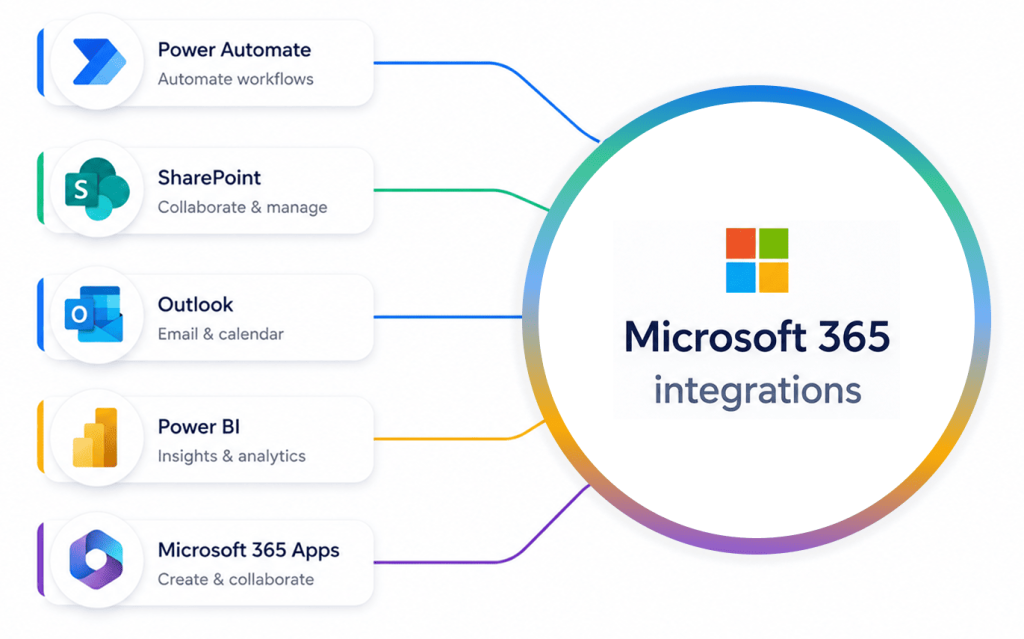
Power BI Integration

Power BI Integration

Extend reporting capabilities with interactive dashboards and executive-level analytics.

Built for Microsoft 365

Unlike standalone reporting tools, Timesheet Pro 365 works within your existing Microsoft ecosystem.

Benefits include:

Organizations can improve reporting without introducing another platform.
Built for Microsoft 365

Reporting Insights That Matter

Organizations use Timesheet Pro 365 to gain visibility into:
Project Progress

Project Progress

Track project status and activity completion.
Resource Utilization

Resource Utilization

Understand how resources are being allocated across projects.
Real-Time Visibility

Project Hours

Monitor actual effort against project expectations.
Approval Status

Approval Status

Track pending and completed approvals.
Team Productivity

Team Productivity

Identify trends and reporting gaps.
Executive Dashboards

Executive Dashboards

Provide leadership with meaningful project visibility.

Why Timesheet Pro 365?

Timesheet Pro 365 is designed to address the time management needs of modern businesses, especially those using Office 365. By integrating time tracking with project management and payroll, we help businesses reduce administrative tasks, streamline approvals, and improve resource planning. Try Timesheet Pro 365 to experience seamless, automated time tracking that scales with your team.

Timesheet Pro Icon
Scroll to Top